 Lowcountry Publisher
Features
A close look at what Lowcountry Publisher does — connecting your TikTok account, composing a post with full control, and publishing directly to your profile.
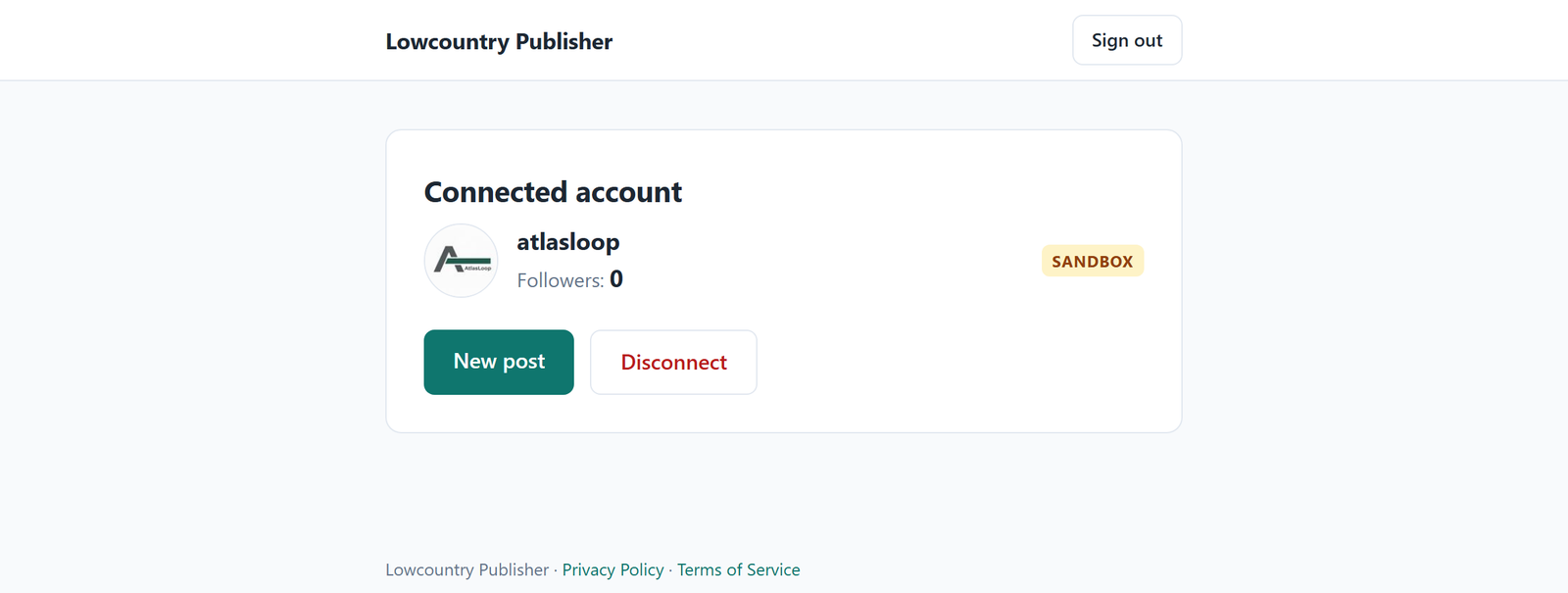
Connect your account
You sign in and link your TikTok account through TikTok's official Login Kit. TikTok shows you exactly which permissions the app is requesting; nothing is granted until you approve it on TikTok's own screen.
- No TikTok password ever touches Lowcountry Publisher.
- The account screen shows your connected profile and its follower count.
- Disconnect with one click — or revoke the app from your TikTok settings — and stored access tokens are deleted.
The composer
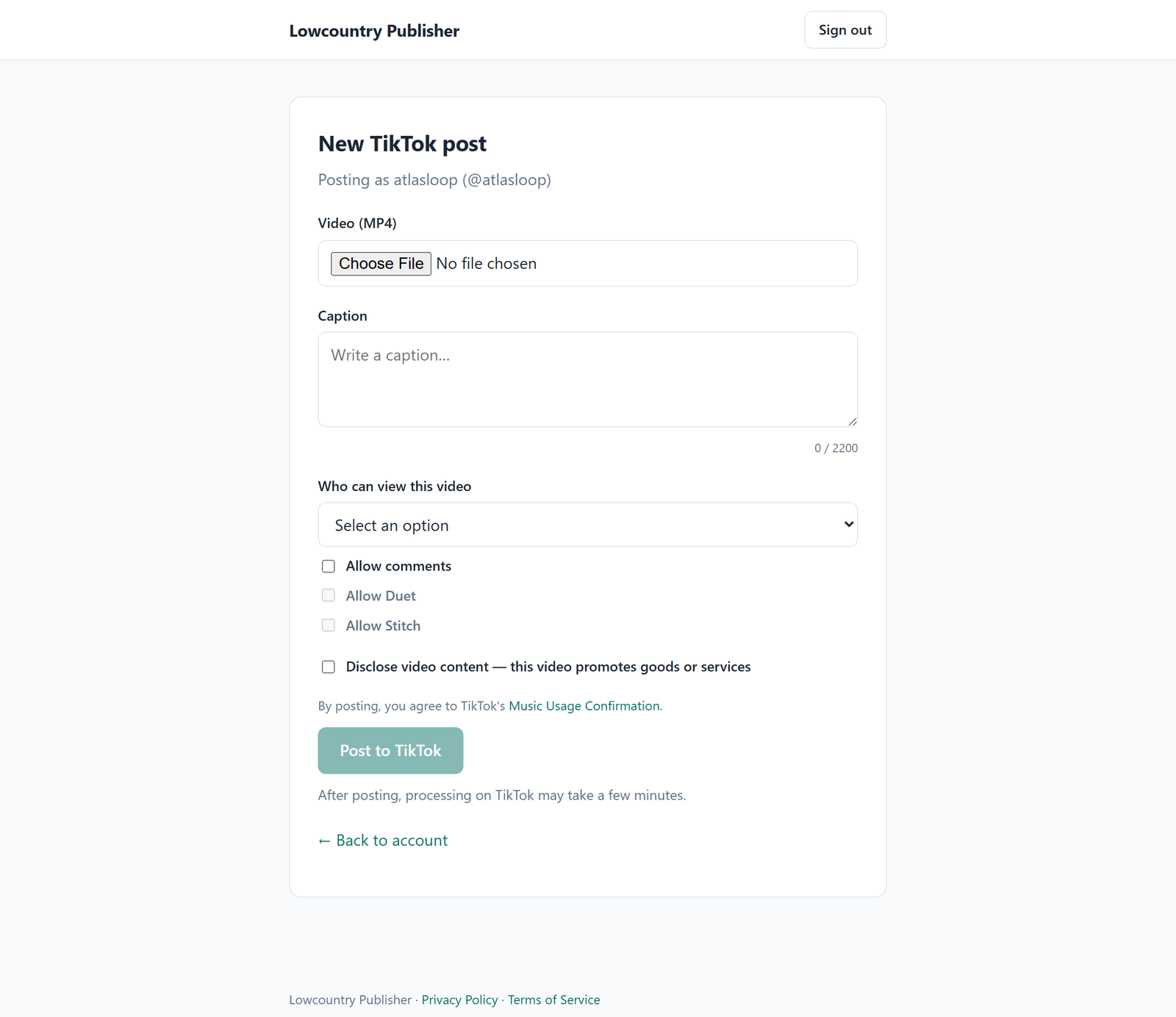
One post at a time, every setting explicit:
- Video — upload the MP4 you want to publish.
- Caption — up to 2,200 characters, with a live counter.
- Who can view — you choose the audience for every post; there is no pre-selected default.
- Interactions — comments, Duet, and Stitch are off until you allow them.
- Disclosure — a clear toggle marks a post that promotes goods or services, per TikTok's branded-content rules.
- Music usage — posting confirms TikTok's Music Usage terms, linked right on the form.
Publishing and status
Posts go to TikTok through its official Content Posting interface. After you publish, TikTok processes the video — usually within a few minutes — and the post appears on your profile with the exact settings you chose.
Each submission is tracked so a post is never accidentally sent twice, and the app reports TikTok's response back to you.
Honest by design
Lowcountry Publisher publishes to the single TikTok account you connect, with your choices on every post. It does not run your account for you, does not follow or message anyone, and never posts anything you didn't explicitly compose and submit.